

You’ve probably heard the name Phantom Wallet if you’ve been around the Web3 space for even a short while. For many Nigerians, especially those in crypto beyond Bitcoin and Ethereum, Phantom is a go-to tool for interacting with Solana, DeFi, NFTs, and even certain Web3 games.
And here’s the thing: if you’re in Nigeria, learning to use Phantom isn’t just a skill. It could be a gateway to opportunities most people around you aren’t tapping yet. I still remember the first time I installed it. The interface was clean, but the features went deeper than I expected.
This guide will walk you through Phantom from start to finish. Not just how to use it in Nigeria, but also how to do it smartly.
What is Phantom Wallet, and Why Should You Care?
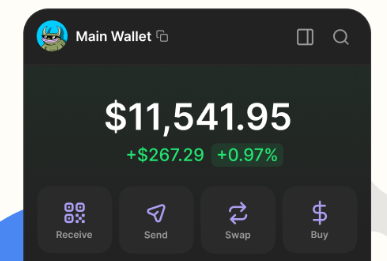
Phantom Wallet is a non-custodial cryptocurrency wallet designed mainly for the Solana blockchain, though it now supports Ethereum and Polygon as well. Non-custodial means you hold the private keys, so you control your funds. No bank manager, no account officer, and no middleman standing between you and your assets.
When I first downloaded Phantom, I thought of it as just another crypto wallet. It didn’t take me long to realise it’s more like your passport to the Solana ecosystem. From one app, you can:
- Store and send Solana (SOL) and other tokens
- Buy, sell, and view NFTs
- Connect to decentralised applications (dApps)
- Stake SOL directly to earn rewards
What I love most is that Phantom runs as a browser extension and a mobile app. That means you can manage your assets from your laptop at home or your phone in Lagos traffic.
Step 1: Setting Up Phantom in Nigeria
I’ll be honest — the hardest part about using Phantom in Nigeria isn’t the wallet itself; it’s avoiding fake download links. Too many people fall victim to phishing websites.
Download From the Official Source
Go directly to phantom.app and follow their download links to the Chrome Web Store, Firefox Add-ons, or mobile app stores. Never search “Phantom Wallet” on Google without checking the URL because scammers buy ads for lookalike sites.
The safer path is to just install the Phantom app. On mobile, I downloaded it from the official App Store (iOS) and Play Store (Android).
Creating Your Wallet
Once installed, you’ll see two options:
- Create New Wallet
- Import Existing Wallet
For beginners, choose Create New Wallet. The app will generate a secret recovery phrase — 12 words that are the key to your funds.
I cannot stress this enough about the recovery phrase:
- Write it down on paper (not in your phone’s Notes app)
- Store it somewhere safe, maybe even in two different secure locations
- Never share it with anyone, no matter their story
That recovery phrase is your vault key. Lose it, and you lose access to your funds. Share it, and your money will vanish before you can even type help.
Step 2: Adding Funds to Phantom
After setup, your wallet will be empty. Time to fund it.
Buying SOL in Nigeria
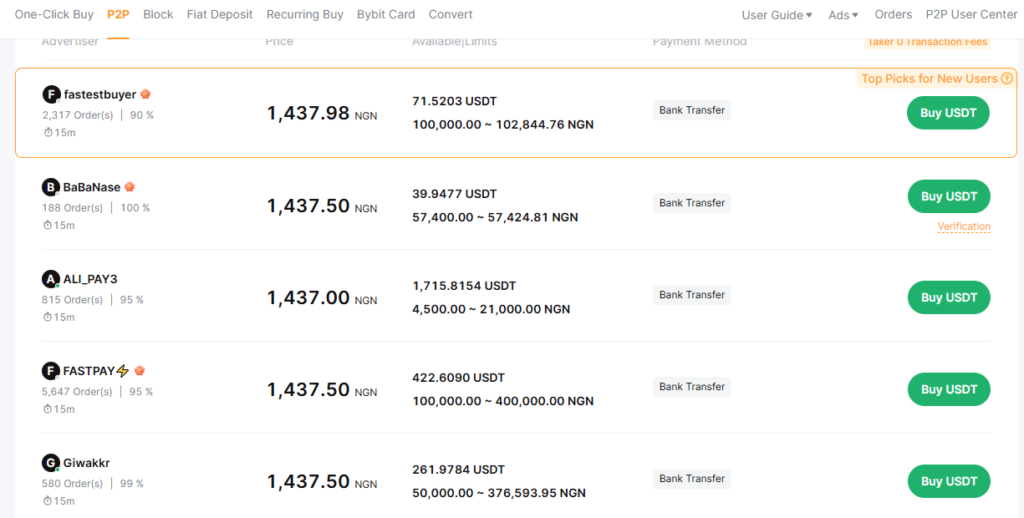
Since Phantom’s main chain is Solana, you’ll need SOL for transactions. In Nigeria, you have a few options:
- Peer-to-Peer (P2P) Exchanges: Bybit P2P is the most common, and I recommend it. Buy USDT or directly buy SOL from verified traders.
- Centralised Exchanges (CEXs): Platforms like KuCoin, OKX, or Bybit let you buy SOL after depositing via P2P.
Once you have SOL in a CEX, withdraw to your Phantom address. Just copy your SOL address from Phantom, paste it in the withdrawal field, and select the Solana network.
Transferring from Other Wallets
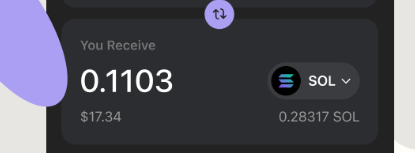
If you already have SOL in another non-custodial wallet like Trust Wallet, just send it to your Phantom wallet address. It’s usually instant and very cheap; one reason I love Solana over Ethereum.
Step 3: Connecting Phantom to dApps
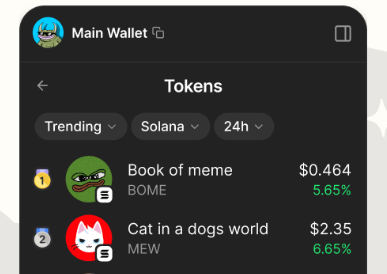
This is where Phantom shines. When I first connected to a Solana NFT marketplace like Magic Eden, it felt like I was unlocking a new part of the internet.
Example: Buying an NFT
- Visit a marketplace like magiceden.io
- Click “Connect Wallet”
- Select Phantom
- Approve the connection in your Phantom pop-up
From there, you can browse collections, bid, or buy instantly — all signed through Phantom.
Using DeFi Protocols
Want to stake SOL or provide liquidity? Sites like Solend or Raydium integrate directly with Phantom. Just connect and approve. But here’s my rule: if I’ve never heard of a project before, I research it thoroughly before connecting my wallet. Some shady dApps can drain your tokens if you give them too much permission.
Step 4: Staking with Phantom
Phantom lets you stake SOL directly without leaving the wallet. I see this as one of the safest beginner-friendly ways to earn passive income in Solana.
Here’s how I do it:
- Open Phantom
- Click your SOL balance
- Select “Start earning SOL”
- Choose a validator (I look for ones with low commission and high uptime)
- Stake
Staking rewards are not massive, but they’re steady. It’s like earning interest without locking your funds in a traditional bank.
Security: How Not to Lose Your Funds in Nigeria
With Nigeria’s crypto laws still not rigorous enough, scams thrive. If you lose your assets, you’re on your own.
My Security Checklist
- Always log out of shared devices
- Use a hardware wallet for large holdings (you can link Ledger to Phantom)
- Revoke old dApp permissions: Phantom has a “Connected Sites” section — disconnect from apps you no longer use
- Beware airdrops: On Solana, scammers send you random tokens that link to phishing sites when you try to swap them. Ignore and hide them.
Real Nigerian Challenges (and Workarounds)
Phantom works globally, but being in Nigeria adds some unique wrinkles.
Limited Fiat On-Ramps
Unlike in the US or Europe, you can’t link your bank card to Phantom to buy crypto. The workaround is to buy via P2P and transfer.
Internet Stability
If your internet cuts mid-transaction, you might think you lost funds. I learned to always wait for confirmations before closing the app, especially when mobile data is shaky.
Dollar Restrictions
Since Nigerian bank cards have strict FX limits, I use virtual dollar cards from services like Chipper Cash or Payday to pay for any Web3 service that needs fiat.
Common Mistakes Beginners Make (That I Avoid Now)
Speaking from my own experience, these are some beginner mistakes you must avoid:
- Leaving SOL on exchanges instead of transferring to Phantom
- Sharing screenshots of their wallet balances on social media
- Clicking every airdrop link that pops up in Telegram groups
- Not backing up their recovery phrase in multiple offline locations
Why Phantom Matters for Nigeria’s Web3 Future
When I think about the potential of Phantom here, I don’t just see a wallet: I see an access point. The Nigerian youth are hungry for opportunities, but most are stuck on centralised exchanges. Phantom introduces them to DeFi, NFTs, and dApps where the rules aren’t dictated by banks or government restrictions.
But with that freedom comes responsibility. You can grow your assets faster than with a savings account, but you can also lose everything overnight if you get careless.
I’ve seen both sides — friends who bought NFTs for $50 and sold for $2,000, and others who lost a lot to a fake staking site. The difference wasn’t luck; it was knowledge and caution.
Final Thoughts
Phantom Wallet is one of the most powerful tools in the Web3 space, and it’s surprisingly easy to use once you get the hang of it. For Nigerians, it’s a way to bypass traditional limits and access new financial systems. You can participate in global blockchain innovation without waiting for official approval.
Follow the steps I explained, protect your recovery phrase like your life depends on it, and connect only to trusted dApps. You’ll not only use Phantom effectively, but you’ll use it in a way that builds your wealth and keeps it safe.